PhacoBook
Get started

Your first case, in minutes.

PhacoBook runs in your browser — there's nothing to install. Here's the whole path from sign-up to a fully documented cataract case.

Create your account
  1. 1

    Create your account

    Sign up with your email and confirm it. Your account is where your surgical record lives — sign in from the OR, the clinic, or home.

    Email validation keeps the registry to real clinicians.

  2. 2

    Add a patient & assign a flow

    Add a patient by an ID you choose — never a name — and assign the cataract surgery flow. PhacoBook creates the case and queues every form it needs, in order.
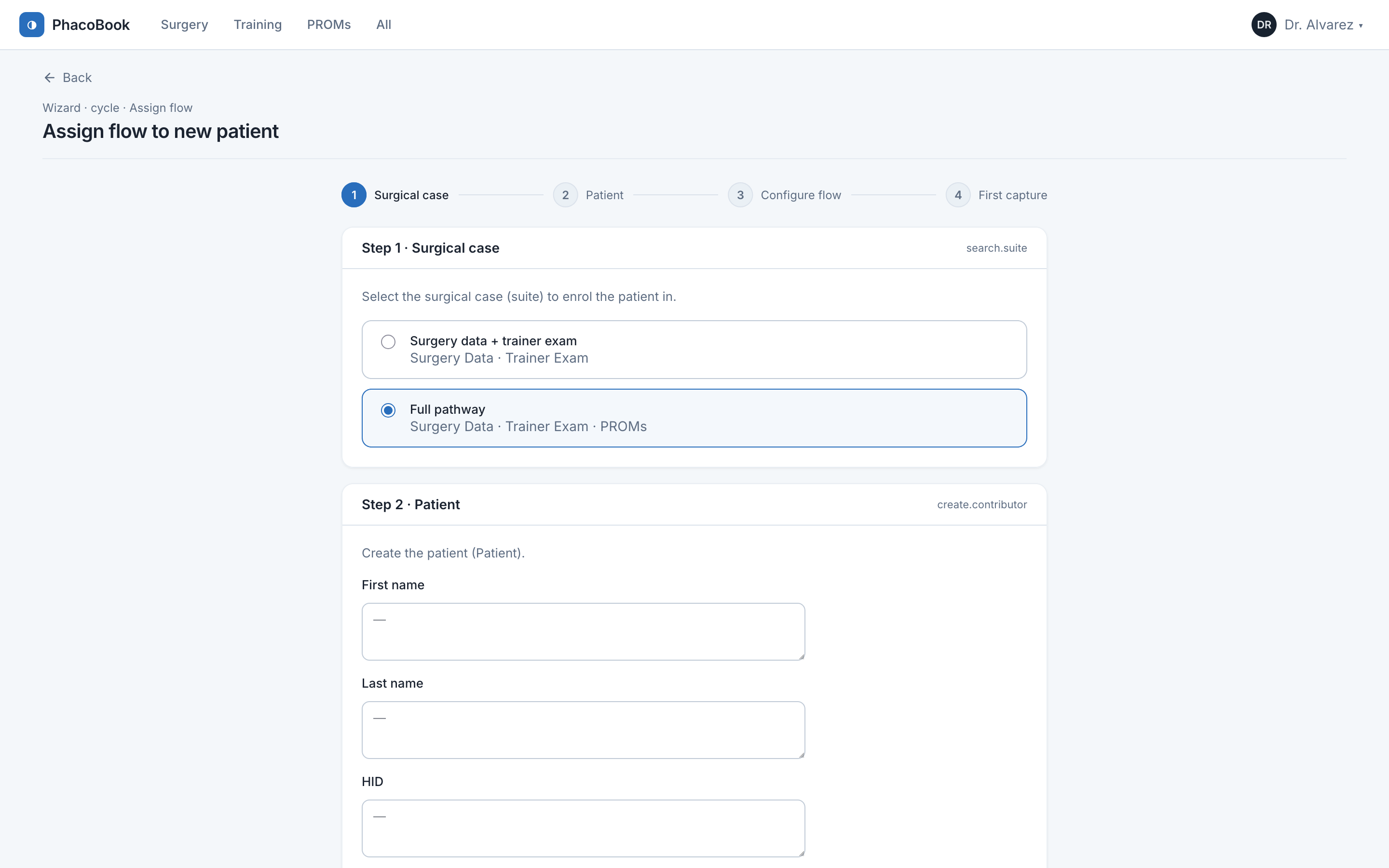
    Assigning a surgical flow to a patient
  3. 3

    Capture the surgery

    Work through the preop, intraop and postop forms. Each field is structured and validated, and the progress bar shows exactly what's left. When you're done, your dashboard and reports update automatically.
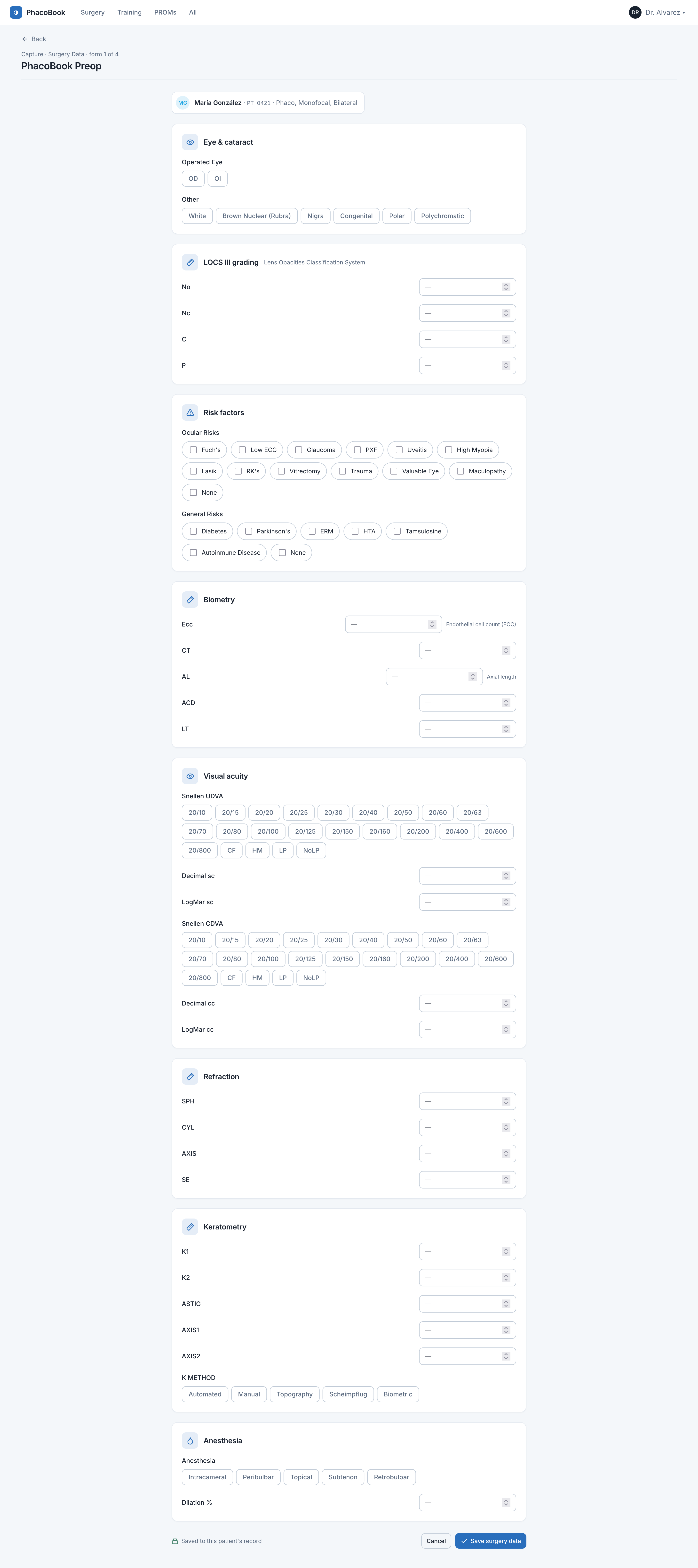
    Filling an operative form

Common questions

Is PhacoBook free?+

You can start for free and document cases straight away. Sign up to see what's included for your account.

Where does my data live — and can I get it out?+

Your record is yours. You can import existing data and export your full record whenever you want. Patient identity is pseudonymized, so the shared registry only ever sees anonymous clinical data.

Is it a medical device?+

No. PhacoBook is a documentation and registry tool. It records and summarizes the data you enter — it does not make clinical decisions or provide medical advice.

Does it do more than surgery data?+

Yes — the same record supports trainee evaluations (OSCAR, NOTSS) and patient-reported outcomes (Catquest-9SF, NAVQ), switchable from the top of the app.

Ready to document your first case?

Get started